PixelForge features: a complete photo editor for Windows
PixelForge is a full professional image editor for Windows. Here is the complete toolset - from layers, selections and retouching to RAW development, painting, typography, vector graphics, automation and AI.
Layers & Masks
Stack as many layers as your project needs, organise them in groups and control every one with masks, opacity and blend modes. Adjustment and fill layers keep colour and tone changes fully editable, while smart objects let you scale, warp and filter images non-destructively.
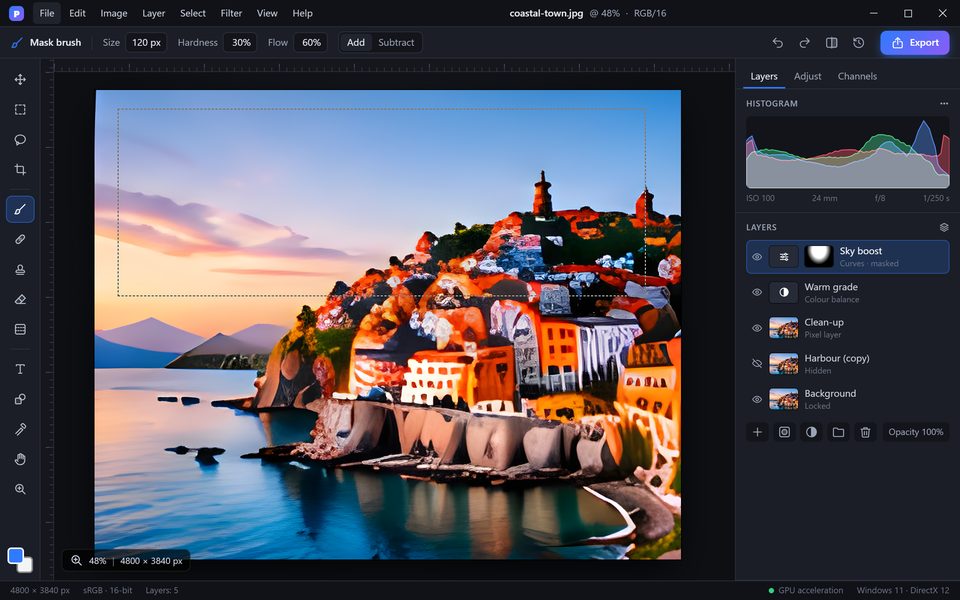
- Unlimited pixel, text, shape and adjustment layers
- Layer groups, colour labels and search
- Layer masks, vector masks and clipping masks
- All standard blend modes — Multiply, Screen, Overlay, Soft Light, Colour, Luminosity and more
- Layer styles: drop shadow, stroke, outer and inner glow, bevel, gradient overlay
- Smart objects with non-destructive transforms and smart filters
- Layer comps to switch between versions of a design
Precise Selections
Isolate exactly what you want to change. Classic marquee and lasso tools sit next to Quick Selection, Magic Wand and Colour Range, and AI-powered Select Subject and Select Sky do the hard work in a single click. Refine Edge handles hair, fur and soft transitions.
- Rectangular and elliptical marquee, lasso, polygonal and magnetic lasso
- Magic Wand, Quick Selection and Colour Range
- AI Select Subject and Select Sky
- Refine Edge workspace for hair, fur and semi-transparent objects
- Quick Mask mode — paint a selection with any brush
- Save selections as alpha channels and load them back at any time
Retouch & Repair
Healing Brush, Spot Healing and Patch blend corrections seamlessly into texture and light. Clone Stamp gives full manual control, Content-Aware Fill and Move rebuild backgrounds, and Liquify reshapes portraits naturally with face-aware controls.
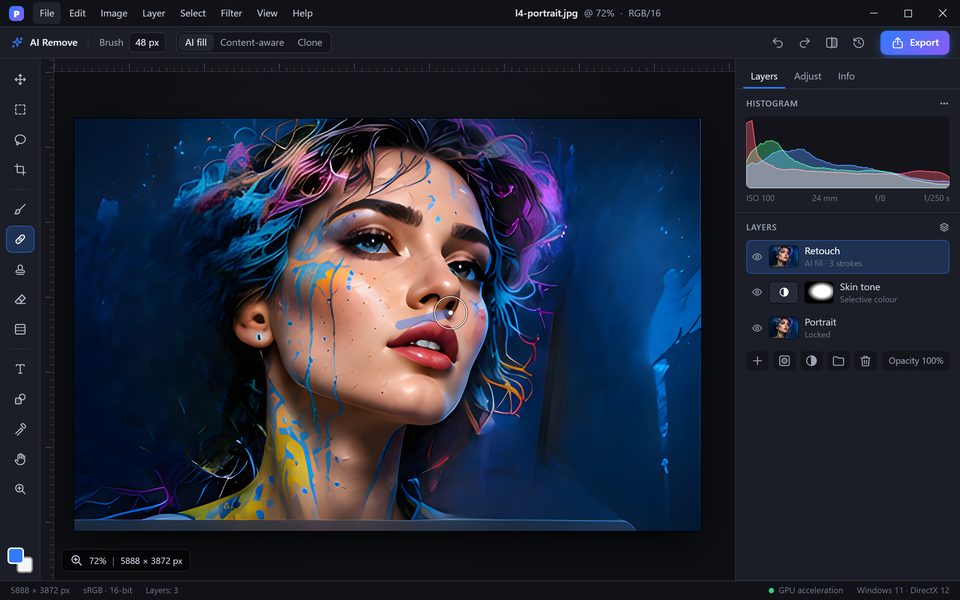
- Spot Healing, Healing Brush and Patch tools
- Clone Stamp with sampling from all layers
- Content-Aware Fill, Content-Aware Move and Content-Aware Scale
- Dodge, Burn and Sponge for local tone and saturation
- Liquify with face-aware sliders for eyes, nose, mouth and face shape
- Red-eye removal and dust & scratches filter for scanned photos
AI Tools
PixelForge AI removes unwanted objects with one stroke, extends canvases with generated content, replaces skies, removes backgrounds and upscales images while keeping detail. Neural denoise cleans high-ISO shots, and every AI result lands on its own layer so you stay in control.
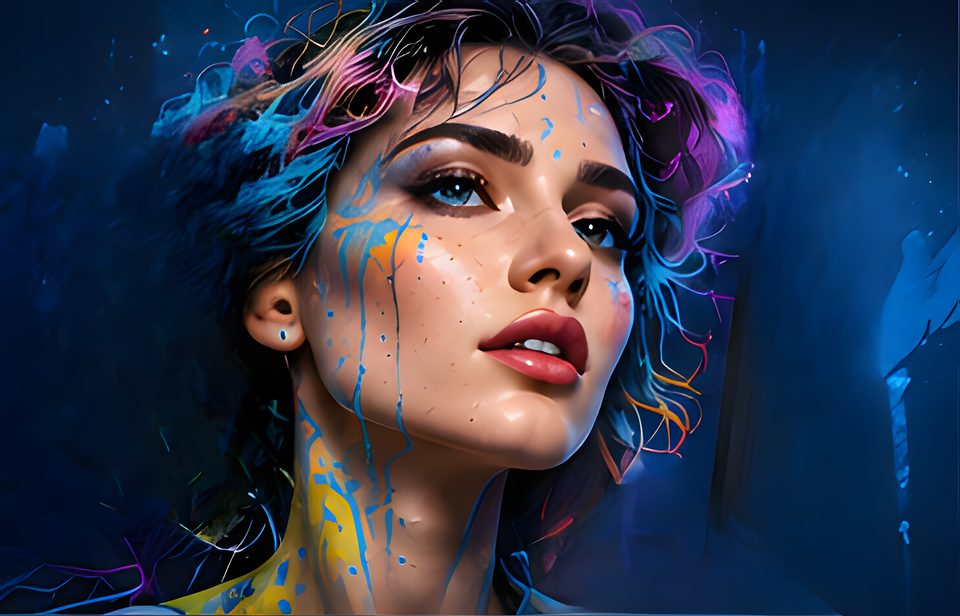
- AI Remove — erase people, wires and objects with a single brush stroke
- Generative Fill and Generative Expand driven by a text prompt
- One-click background removal and Sky Replacement
- Super Resolution upscaling to 2x and 4x
- Neural Denoise for low-light and high-ISO photos
- Auto Tone, Auto Colour and smart portrait relighting
- Every AI edit is created on a separate, maskable layer
Colour & Tone
Shape light and colour with Levels, Curves, Hue/Saturation, Colour Balance, Selective Colour and Channel Mixer — as permanent edits or editable adjustment layers. Load .cube LUTs, grade with colour wheels and work in 8, 16 or 32 bits per channel.
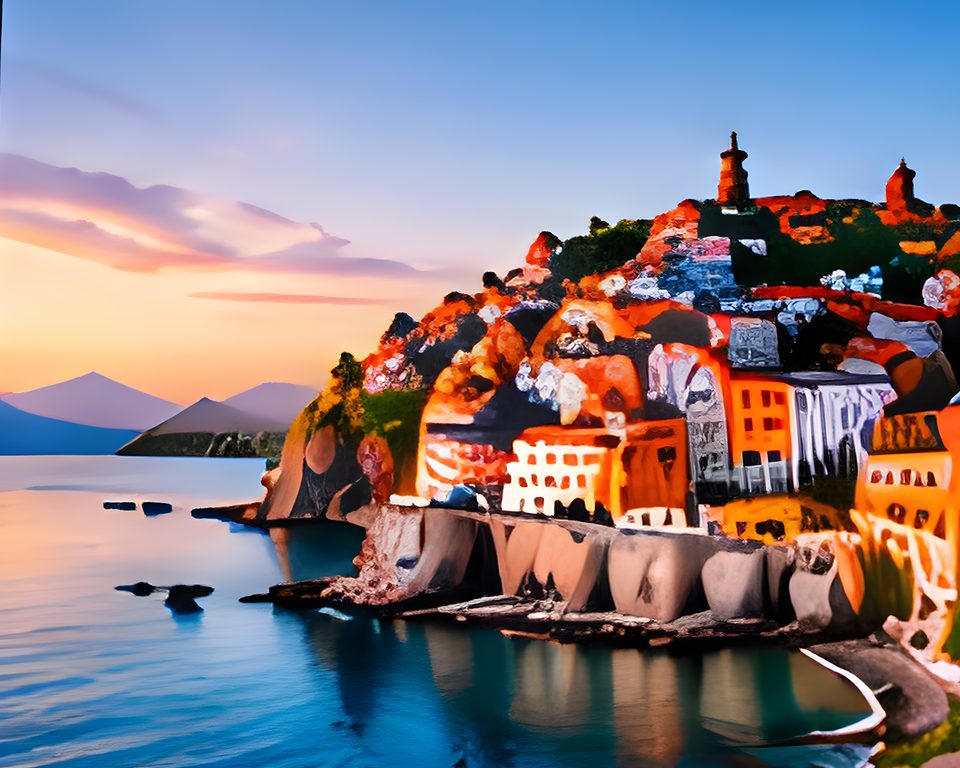
- Levels, Curves, Exposure, Brightness/Contrast and Shadows/Highlights
- Hue/Saturation, Vibrance, Colour Balance, Selective Colour and Channel Mixer
- Gradient Map, Black & White, Photo Filter and Colour Lookup (.cube LUTs)
- Three-way colour wheels for shadows, midtones and highlights
- Match Colour and Replace Colour
- 8, 16 and 32 bits per channel editing, HDR toning
RAW Development
Open RAW files from current cameras and DNG directly. Adjust white balance, exposure, tone curve, HSL, lens corrections, noise reduction and sharpening in a dedicated develop module, then sync settings across a whole shoot.
- RAW support for most current cameras plus DNG
- White balance, exposure, contrast, highlights, shadows, whites and blacks
- Tone curve, HSL / colour mixer and colour grading
- Lens profile corrections, chromatic aberration removal and vignette
- Noise reduction, sharpening and texture / clarity / dehaze
- Presets, camera profiles and settings sync across many photos
Brushes & Painting
Paint with pressure, tilt and rotation from Windows Ink and Wacom tablets. Customise shape, scattering, texture and dual-tip dynamics, mix colours with the Mixer Brush, paint in symmetry and import your existing .abr brush sets.
- Pressure, tilt and rotation for Windows Ink and Wacom pens
- Brush dynamics: shape, scattering, texture, dual brush, colour dynamics
- Mixer Brush for natural paint blending
- Import .abr brush sets
- Symmetry painting and stroke smoothing
- Gradients, pattern fill and the History Brush
Text & Typography
Set point or paragraph text with full OpenType support, variable fonts and colour emoji fonts. Put text on a path, warp it, and keep everything consistent with character and paragraph styles.
- Point and paragraph text with live preview
- OpenType features, ligatures and variable fonts
- Text on a path and inside shapes
- Warp text and layer styles on live text
- Character and paragraph styles
- Spell check and find & replace
Vector & Shapes
Draw with the Pen and Curvature Pen tools, create live shapes with editable corners and combine them with boolean operations. Shapes stay sharp at any size and export cleanly to SVG.
- Pen, Freeform Pen and Curvature Pen tools
- Rectangle, ellipse, polygon, line and custom shapes
- Live shapes with editable corner radius
- Combine, subtract, intersect and exclude paths
- Paths panel, clipping paths and vector masks
- Export shapes and layers to SVG
Transform & Composite
Crop and straighten with automatic horizon detection, correct perspective, warp and puppet-warp objects. Stitch panoramas, merge exposures to HDR and stack focus for macro and product shots.
- Crop, straighten and content-aware crop
- Transform, Warp, Puppet Warp and Perspective Warp
- Lens and perspective correction
- Panorama stitching
- Merge to HDR and focus stacking
- Auto-align and auto-blend layers
Filters & Effects
Apply blur, sharpen, noise, distort, stylise and render filters — as smart filters you can re-edit at any time. The blur gallery creates field, iris and tilt-shift effects, and lighting effects add depth to any scene.
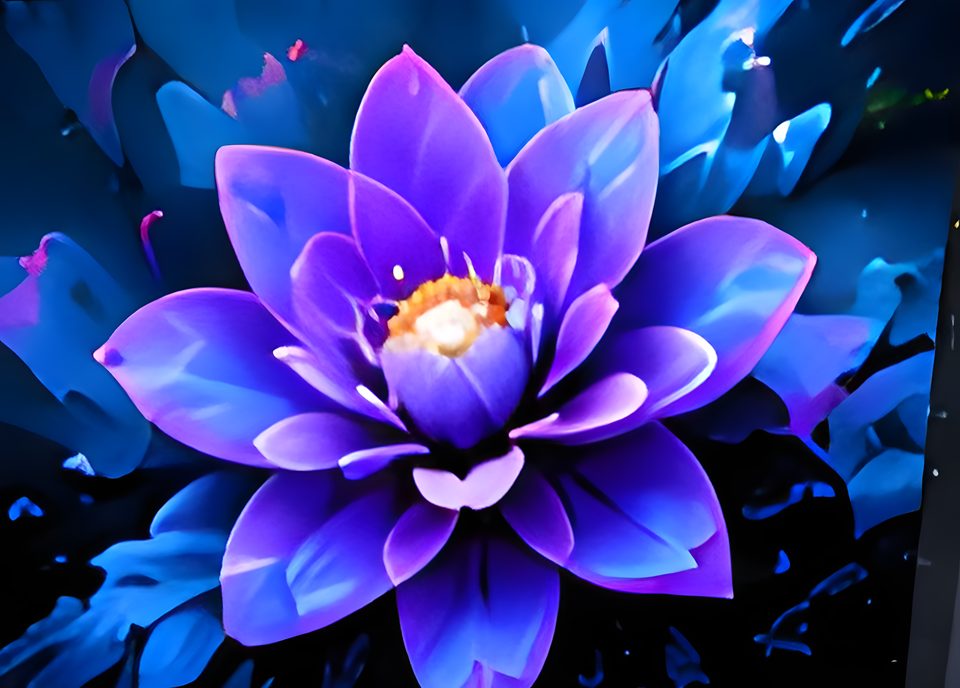
- Smart filters with masks and blending options
- Field, iris, tilt-shift, path and spin blur
- Smart Sharpen, Unsharp Mask and high-pass sharpening
- Add noise, film grain, vignette and lens flare
- Distort, stylise, pixelate and render filters (clouds, lighting effects)
- Support for .8bf filter plug-ins
Automation
Record any sequence of steps as an action and replay it on one image or a thousand. Batch processing, the image processor and JavaScript scripting turn hours of repetitive work into a single click.
- Record, edit and replay actions
- Batch process whole folders
- Image Processor for fast format and size conversion
- JavaScript scripting for custom workflows
- Tool presets and workspace presets
- Plug-in support for extending PixelForge
Formats & Export
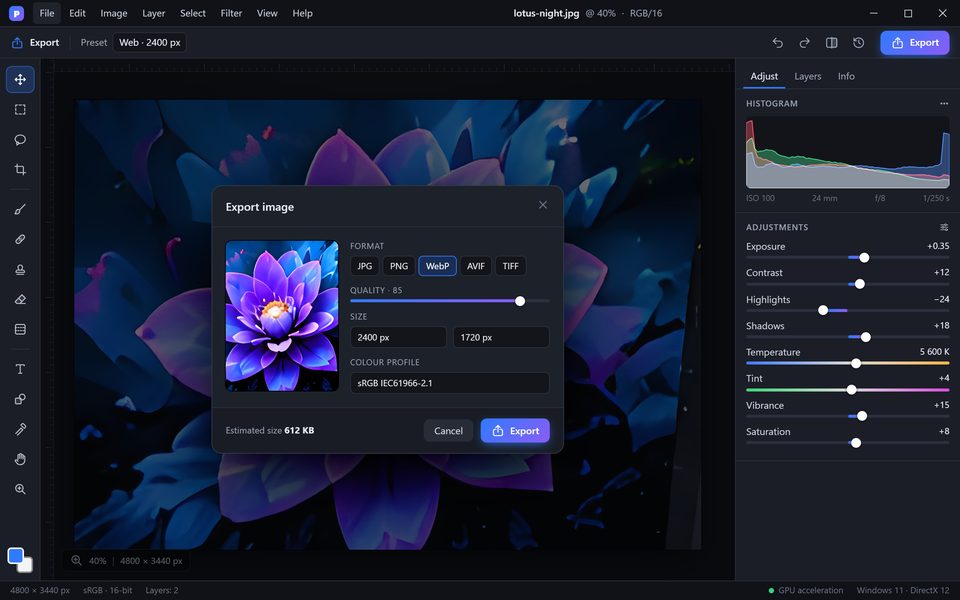
PixelForge opens and saves layered PSD and PSB files, reads RAW, HEIC and AVIF, and exports JPG, PNG, WebP, AVIF, TIFF, GIF and PDF. Export As shows quality and file size before you save, and artboards export in one go.
- Open and save PSD and PSB with layers, masks, text and adjustment layers
- Import RAW, DNG, HEIC, AVIF, WebP, TIFF, PNG, JPG, GIF, BMP, TGA
- Export JPG, PNG, WebP, AVIF, TIFF, GIF, SVG and PDF
- Export As with live preview, file size and presets
- Artboards and batch export of layers
- ICC colour management, CMYK, Lab, grayscale and soft proofing
Native Windows Workspace
A native Windows application with GPU acceleration through DirectX 12, support for high-DPI and HDR displays, multi-monitor setups, Windows Ink and touch. Dock panels the way you like, switch light or dark themes and use familiar keyboard shortcuts.
- GPU acceleration with DirectX 12
- High-DPI, HDR and multi-monitor support
- Windows Ink, pen and touch gestures
- Dockable panels, custom workspaces and dark / light themes
- Customisable keyboard shortcuts with a familiar shortcut preset
- Unlimited history, snapshots and autosave with file recovery
Privacy & Ownership
PixelForge works offline and processes your images locally. Nothing is uploaded unless you decide to share it, and your files are always saved in open, standard formats.
- Works fully offline
- Images are processed locally on your PC
- No account needed to edit
- Projects saved in open, standard formats
Coming from Photoshop?
PixelForge is designed to feel familiar from the first minute. Your files, brushes, colour looks and muscle memory come with you.
- PSD & PSB filesOpen and save layered documents with masks, text, smart objects and adjustment layers.
- Familiar shortcutsEnable the familiar shortcut preset and keep working the way you are used to.
- .abr brushes & .cube LUTsImport your existing brush sets and colour lookup tables.
- .8bf plug-insUse compatible filter plug-ins you already own.
Get PixelForge for Windows
Release November 20, 2026 · Windows 10 & 11 · 64-bit